Bank reconciliation that does the matching for you
Load a statement and every line lands in the right account and month, matched against your receipts, invoices, bills and transfers. What is almost certain becomes a one-click suggestion. What is different gets explained, not hidden.
Full product, no feature tiers. Every new account is approved personally.
Any statement, from any bank
Download from your bank as PDF, CSV, Excel or OFX and drop it in, or forward it by email. AviBooks recognizes the bank layout, files the statement under the right account and month, and splits a file that spans several months into the right periods. A line it has already seen is never loaded twice.
- PDF, CSV, Excel and OFX statements from any Canadian bank or credit card
- Chequing, savings, Visa, Mastercard and Amex accounts, several of each if you need them
- One file spanning many months files itself into the right months
- Exact duplicates are collapsed; everything else loads intact
Matches with evidence, not guesses
Every line is compared with your invoices, bills, receipts and the transfers between your own accounts. The suggestions tray shows the proposed match and the reason: same amount, two days apart, vendor name on the receipt. One click accepts it. Accept all clears the obvious ones at once.
Differences are explained rather than forced. A card charge five dollars over the receipt is offered as a tip. A bank fee, an exchange difference or a deposit that settles three invoices at once each gets the right treatment, and the journal entries post themselves.
- One deposit can settle several invoices at once
- Tips, fees and exchange differences become explained splits
- Transfers between your own accounts are paired so they never fake income or expense
- Uncleared cheques and deposits in transit follow the months until they clear
Categorize once, it remembers
Name a vendor's category one time and AviBooks offers to remember it, then back-fills every other line from the same vendor. Rules stay fully editable, and a new category can be created without leaving the line. A single charge covering several things can be split into parts, each landing in the right account to the cent.
- Vendor rules with one-click back-fill of matching lines
- Business or personal tagging per rule, for clean write-offs
- Splits post one ledger leg per part, audit-clean
Find any transaction in seconds
Type a description, a category or an exact amount, and search finds the line anywhere in your books: every account, every month. Click a result to see its full story, then jump straight to the ledger line if you need to act on it. Press the slash key to open search from anywhere in the app.
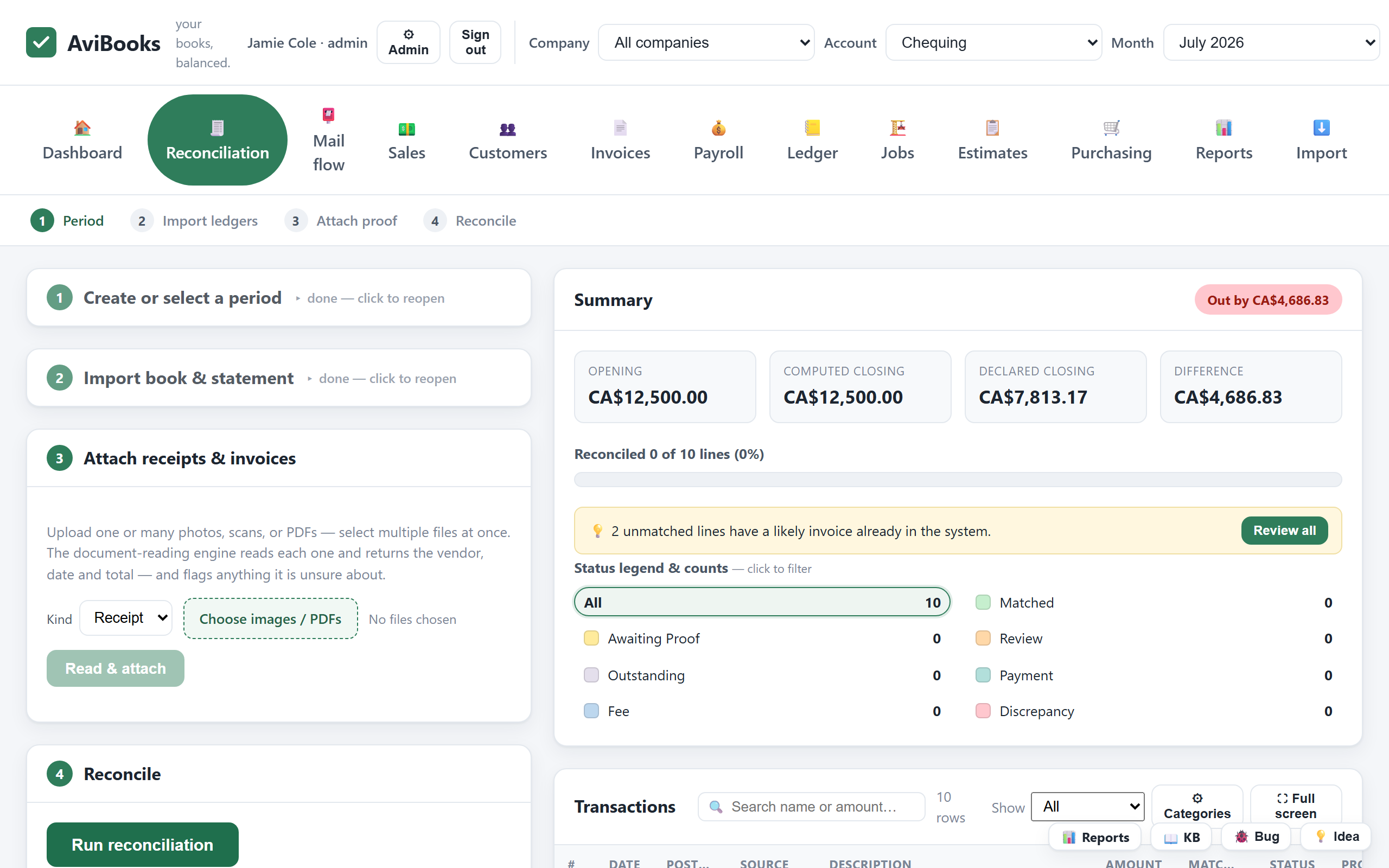
Every line gets a status
After a run, each line is matched, a card payment, a bank fee, a discrepancy or an outstanding item, each with its own colour. Filter by status or by business and personal, then export an annotated Excel workbook with the matched receipts embedded, or a journal file for your desktop accounting software.
Questions about reconciliation
Which statement formats does AviBooks read?
PDF, CSV, Excel and OFX downloads from any bank or credit card account. Upload the file, drag it in, or forward it by email to your private AviBooks address.
What happens when a line does not match anything?
It stays visible as a discrepancy or an outstanding item. Click it to attach a receipt or pick the invoice by hand; the link is sticky across later runs.
Can I reconcile more than one company?
Yes. Accounts belong to companies, the header lets you pick company, account and month, and each company gets its own reports and month-end close.
Run three real month-ends on us.
The full product for 90 days. Import your existing books and see for yourself.