Automatic reconciliation software for Canadian bookkeeping. Your books, balanced.
AviBooks is automatic reconciliation and Canadian bookkeeping software with everything built in. Snap a receipt, email a scan, or drop a statement, and it reads the amounts, finds the matching bank lines, drafts your GST/HST return from the receipts themselves, and closes your month with a signed reconciliation statement. One platform instead of a stack of add-ons.
Full product, no feature tiers. Every new account is approved personally.
Everything an accountant reaches for in a day, from GIFI to CRA remittance. Built in, not bolted on
No modules to license, no marketplace of paid add-ons. If it belongs in the books, it's already here.
Invoicing & receivables
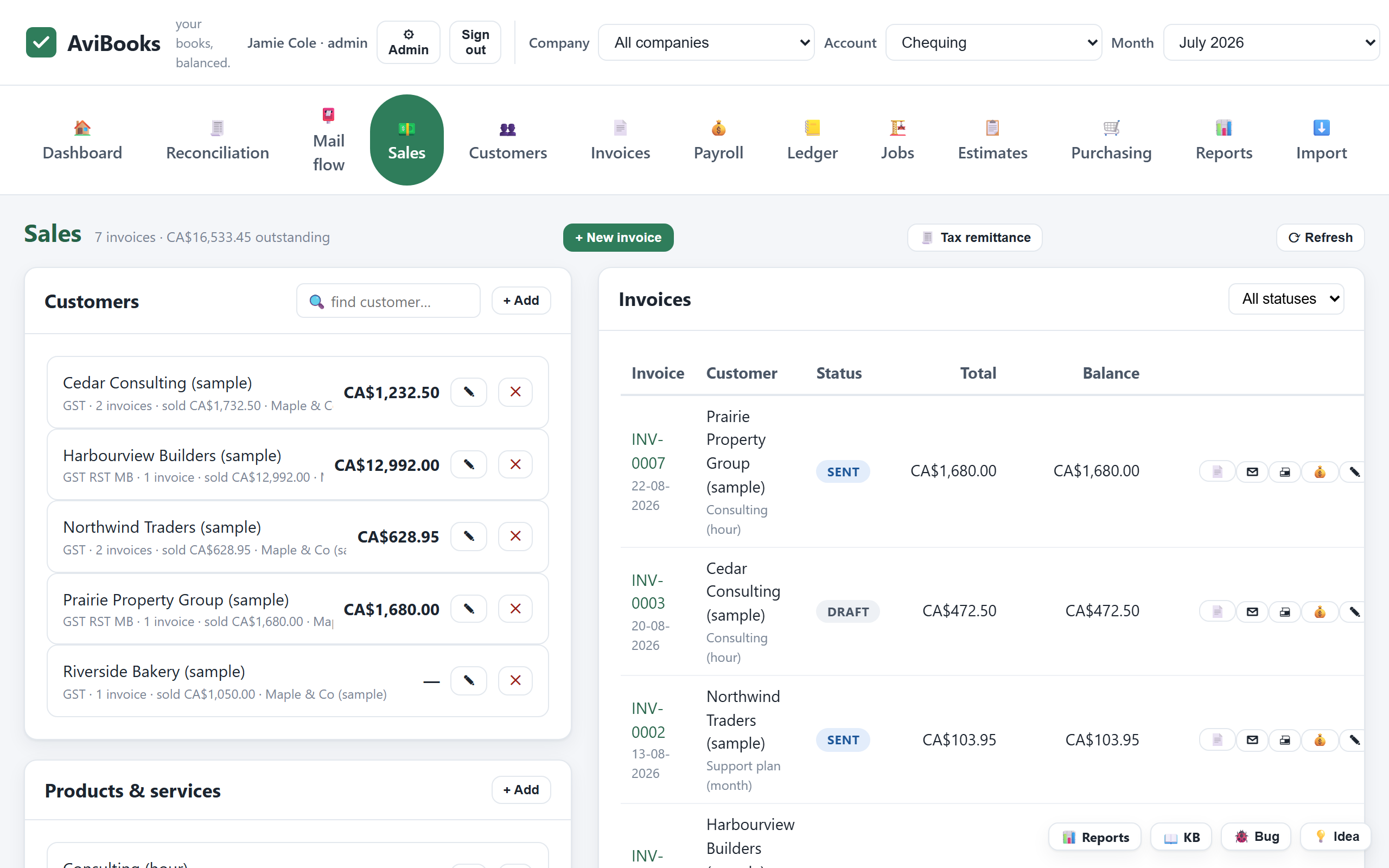
Clean PDF invoices and estimates with GST, HST, PST (QST and RST too) applied automatically by province. Payment tracking and receivables aging that shows who owes what, and for how long.
Estimates your clients sign online
Send an estimate, get it approved with an e-signature and an emailed verification code. Progress billing and change orders when the job evolves.
Bills, purchase orders & vendors
The payables side kept as clean as the receivables side: what you owe, to whom, and when, without a spreadsheet on the side.
Job costing for contractors
Cost by job, track holdback and retainage, and see work-in-progress the way construction actually runs. Built in, not a separate industry version.
Real double-entry books
General ledger, trial balance, balance sheet, income statement and cash flow: proper books underneath every number on the screen.
Automatic bank reconciliation
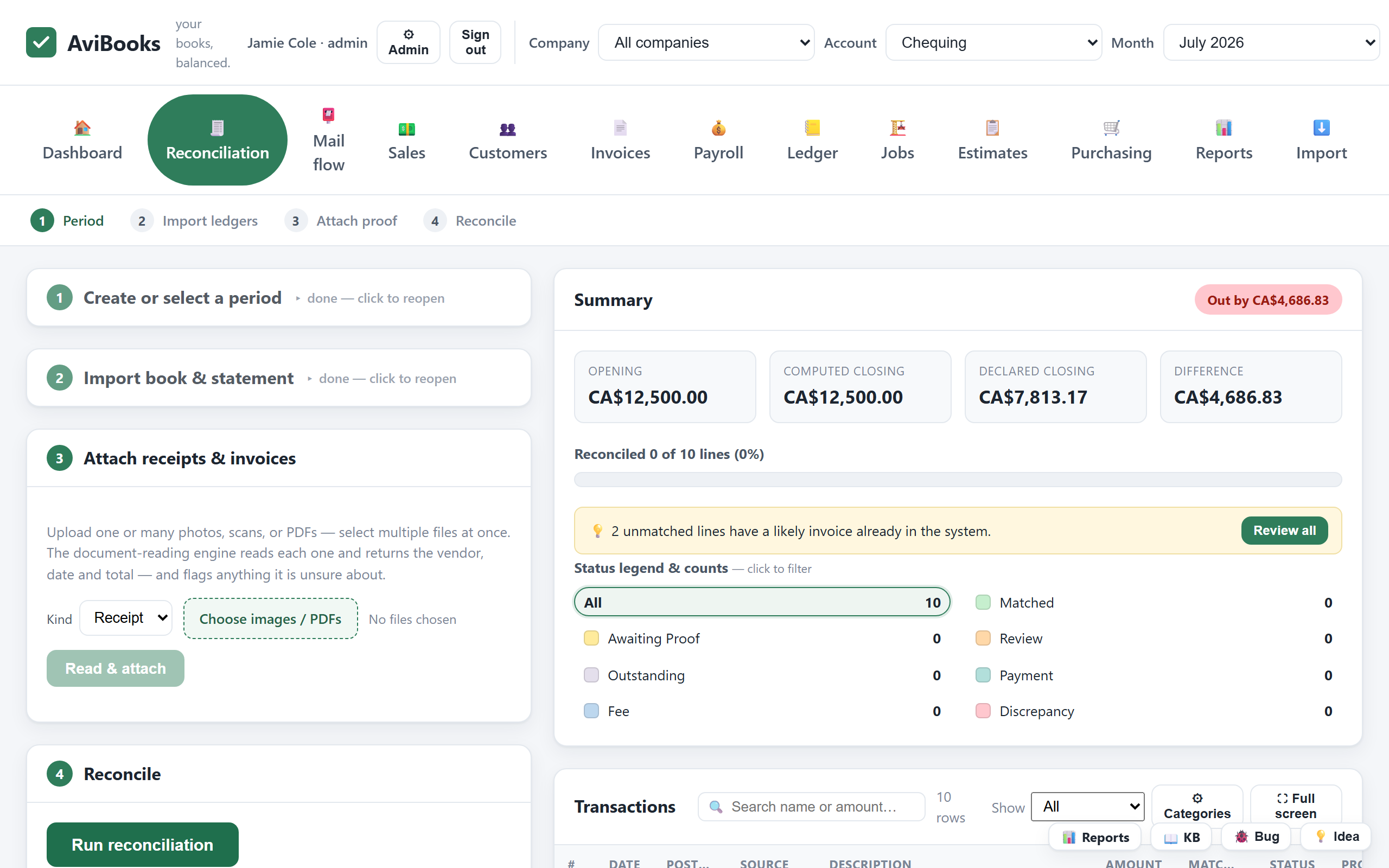
Upload statements (PDF, CSV, Excel or OFX) and lines match your receipts, invoices, bills and inter-account transfers automatically. What's almost certain becomes a one-click suggestion ("off by $5, a tip?"), one deposit can settle several invoices at once, and uncleared cheques follow the months until they clear.
Protected by default
Two-factor authentication on by default, with recovery codes, encrypted data, and scoped read-only review links when an outside accountant needs to see one company, and nothing else.
GIFI & CRA-ready reports
Import and export GIFI (.gfi) files for year-end, and run a remittance report that covers the CRA, Revenu Québec and provincial authorities.
Bring your existing books
Bring your books across through GIFI or CSV exports, or import them from your previous software in a few clicks. Switching is a weekend decision, not a winter project.
Capture from anywhere
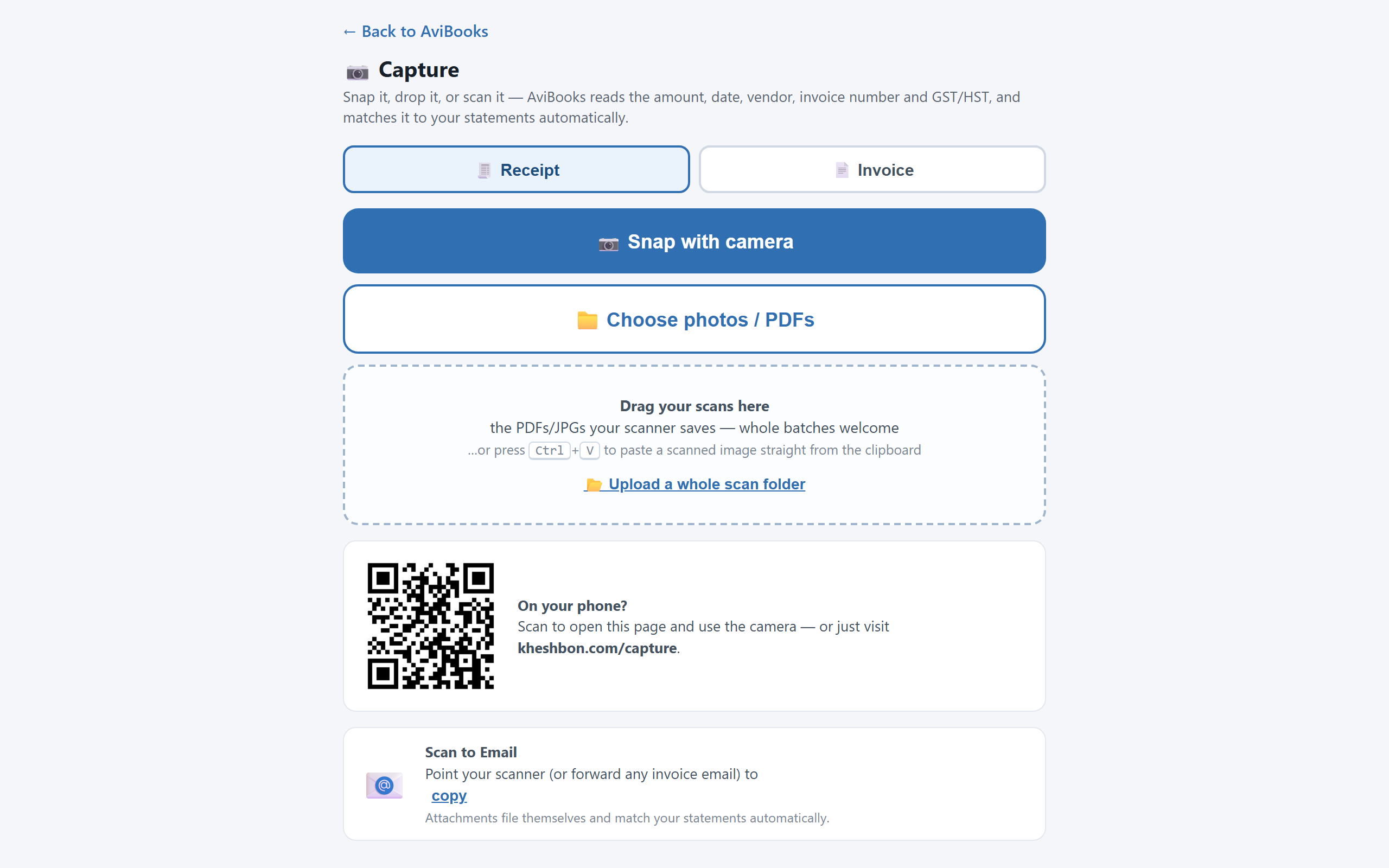
Snap it with your phone, drag your scanner's files in, paste from the clipboard, or point the office scanner's Scan to Email at your private AviBooks address. Every arrival is read, filed and matched against your statements automatically, and the app tells you what matched and what's waiting.
Your receipts draft your GST/HST return
The scanner reads the tax off every receipt and invoice. Come filing time, the return draft is waiting: sales, tax collected, input tax credits from the paper itself, and the net line ready to copy onto the CRA form.
Close the month with confidence
One dialog runs the month-end checks (balances agree, every line explained, no missing recurring payments, no double imports, statement chain intact), then locks the period and hands you a signed reconciliation statement, outstanding items and all.
See the cash before it moves
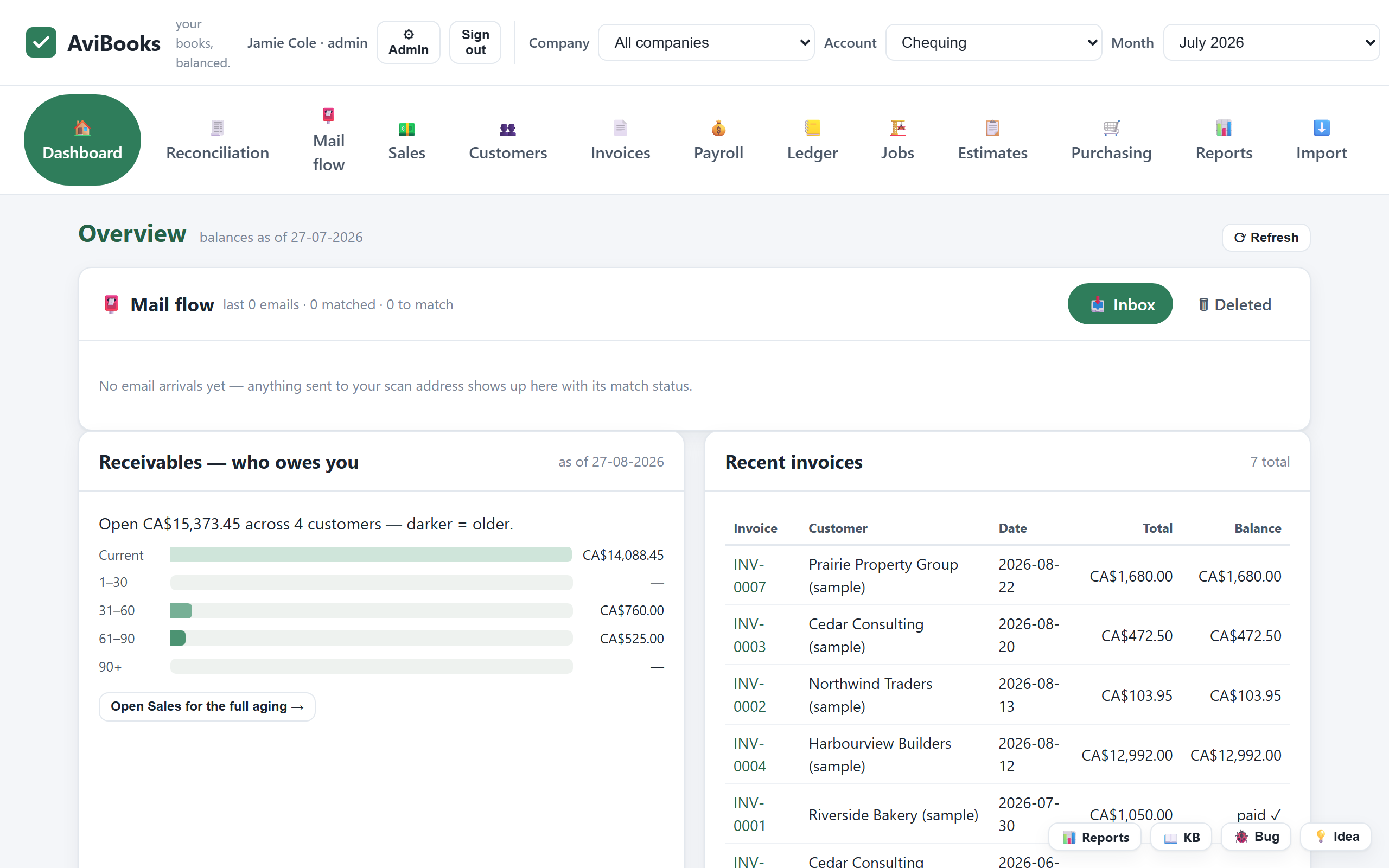
The dashboard forecasts what is coming in and going out from your open invoices and bills: overdue, then 30, 60 and 90 days ahead. Month-end stops being a surprise.
Invoice in USD, books stay in CAD
Bill customers in USD or EUR. Bank of Canada rates convert every document on its date, exchange gains and losses post themselves, and the GST/HST return stays correct in CAD.
Categorize once, it remembers
Name a vendor's category one time and every future bank line files itself. One line covering several things? Split it into parts and each part lands in the right account.
Find any transaction in seconds
Search every month and every account by name or amount, from anywhere in the app, and jump straight to the line you were looking for.
Every emailed document, tracked
Email invoices and receipts to your private AviBooks address. Mail flow shows each email that arrived, what matched, and what still needs attention.
Works on your phone
The whole product fits a phone screen: check the books, snap receipts into the records, and reconcile from anywhere. Nothing to install.
What you'll actually see
Real screens from AviBooks. The same screens our feature notes show.
Replacing your old accounting software? That's the point.
Many small-business accounting stacks grew by accretion: the core product, then the receipt-scanning subscription, the reporting tool, the sync utility on the side. Each one billed separately, each one another login.
AviBooks was built the other way: one platform, one login, with the daily work of a bookkeeper or accountant designed in from the start. The books are real double-entry underneath, the taxes are Canadian by default, and the year-end handoff speaks GIFI.
Your history comes with you: books come across through GIFI or CSV exports in a few clicks, and your books stay yours: GIFI export means you're never locked in.
| The daily work | In AviBooks |
|---|---|
| Invoicing with provincial GST/HST/PST | Built in |
| E-signed estimates, progress billing, change orders | Built in |
| Receipt reading (OCR) on reconciliation | Built in |
| Job costing, holdback & WIP | Built in |
| GIFI import / export | Built in |
| CRA remittance report | Built in |
| Outside-accountant review access | Built in |
| Two-factor authentication | Built in |
Built around how bookkeepers and accountants actually work
- Client-ready statements on demand. Trial balance to cash flow without exporting to a spreadsheet first.
- Review without risk. Give an outside reviewer a scoped, read-only, revocable link to one company: they see that company's summary and nothing else.
- Year-end that cooperates. GIFI both directions, so the books and the T2 software finally speak the same language.
- Receipts handled at the source. Statements uploaded, transactions matched, receipts attached and read automatically.
- A person answers. Every account is approved personally, and questions get a reply from someone who knows the product, not a ticket queue.
- 90 days to be sure. The full product, long enough to run a real month-end (three of them) before you commit.
Frequently asked
Can AviBooks replace my current accounting software?
Yes, that's what it's for. AviBooks covers the daily work legacy accounting products are used for in Canada: invoicing, bills, double-entry books, bank reconciliation, financial statements and CRA-ready reports, in one platform with no add-on modules. Your books come across through GIFI or CSV exports in a few clicks.
Does it handle GST, HST and PST correctly?
Yes. The correct tax (GST, HST, PST, plus Quebec QST and Manitoba RST) is applied automatically based on the province, on invoices and estimates, and the remittance report shows what's owed to the CRA, Revenu Québec and provincial authorities at filing time.
Does it support GIFI?
Yes, in both directions: import GIFI (.gfi) files into the books and export them back out for corporate tax software at year-end.
Is my data protected?
Data is encrypted in transit, sensitive data is encrypted at rest, and sign-ins support two-factor authentication. Outside reviewers only ever get scoped, read-only, revocable access to a single company. See the Legal section below for the full statement.
What does the 90-day trial include?
Everything. There are no feature tiers. The trial is the full product. Each new account is reviewed and approved personally before it goes live.
Who is AviBooks for?
Bookkeepers, accountants, and the Canadian businesses they serve, including contractors who need job costing, holdback and WIP without buying a special industry version.
Run three real month-ends on us.
The full product for 90 days. Import your existing books and see for yourself.
Legal: the fine print, in plain language
Purpose of the product
AviBooks is bookkeeping and accounting software made for bookkeepers, accountants, and the businesses they serve. It is a tool for keeping books; it does not provide accounting, tax, or legal advice, and it does not replace the professional judgment of a qualified accountant or tax preparer. Decisions made using information from AviBooks remain the responsibility of the user and their professional advisors.
Data protection
Customer data is encrypted in transit, and sensitive data is encrypted at rest. Access to accounts is protected by authenticated sign-in with support for two-factor authentication. Review access granted to outside parties is scoped to a single company, read-only, and revocable at any time. Every new account is reviewed and approved before activation.
No warranty; limitation of liability
AviBooks is provided on an "as is" and "as available" basis, without warranties of any kind, express or implied, including fitness for a particular purpose. To the maximum extent permitted by applicable law, AviBooks and its operators shall not be liable for any indirect, incidental, special, consequential or exemplary damages, or for any loss of profits, revenue, data or goodwill, arising from or related to the use of, or inability to use, the software or this website.
Intellectual property
All content on this website (text, design, graphics and the AviBooks name and logo) is the property of AviBooks and is protected by copyright. All rights reserved. No part of this website or the AviBooks software may be reproduced, distributed or used to create derivative works without prior written permission.
Contact
Questions about these terms or about the product: avi@kheshbon.com.